
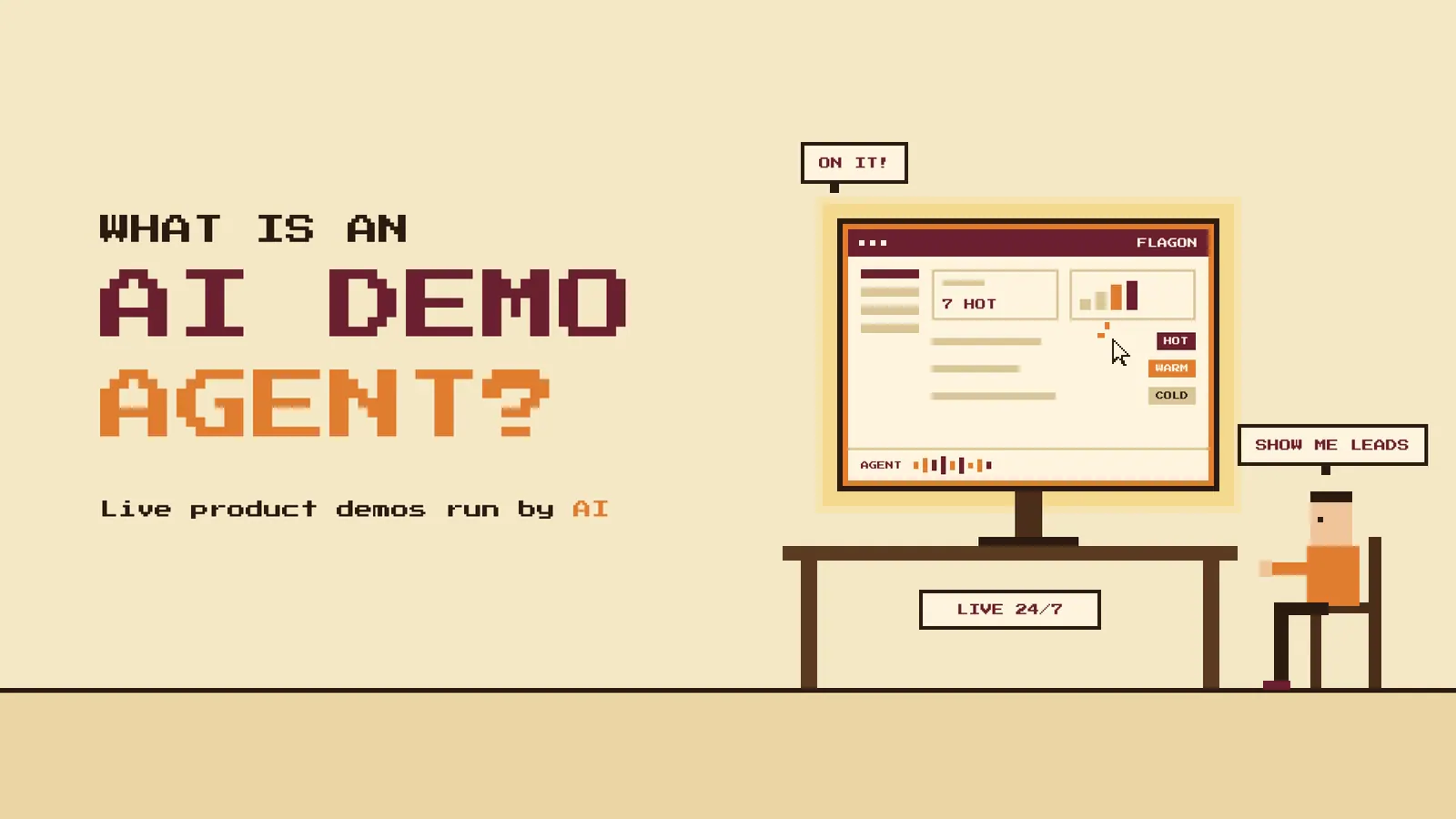
Most buyers want to see a product before they talk to sales. Very few of them click Book a Demo and wait three days for a call.
An AI demo agent gives those buyers what they came for. It runs a live walkthrough of your product the moment someone asks for one.
This guide explains what an AI demo agent is and how it works. It also covers how it compares with other demo formats and what to check before you pick one.
What is an AI demo agent?
An AI demo agent is software that gives a buyer a personalized product demo without a sales rep. The buyer asks questions by voice or text. The agent answers from your product knowledge and shows the screens that match each question.
Picture a sales engineer who never goes off shift. The agent can demo your product to a founder in Berlin at 3am and a RevOps lead in Austin at noon with the same playbook.
Three things make it an agent instead of a recorded demo:
It listens: It responds to what the buyer says instead of following a fixed click path.
It acts: It picks the next screen to show and takes that action itself.
It reports back: It records the conversation and tells your team who the buyer is and how ready they are.
How an AI demo agent works
Every AI demo agent follows the same basic loop. Your team sets it up once and the agent runs each demo on its own.
Step 1: You train it on your product
You give the agent your website, help docs and product notes. You also tell it which features matter to which buyer, what questions to ask and which topics to leave to a human.
The agent is only as good as what you feed it. Thin product knowledge leads to vague answers.
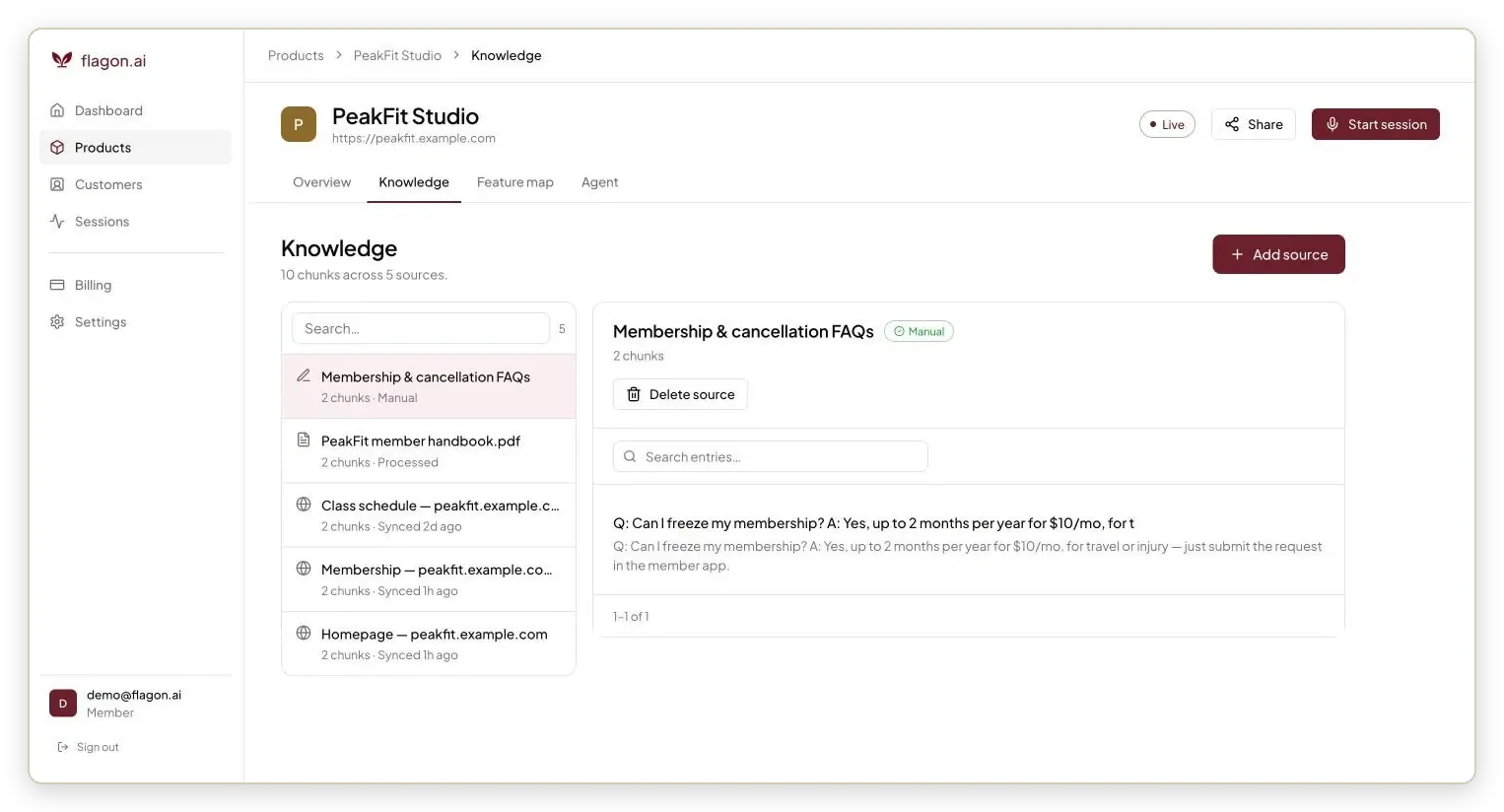
In Flagon you add website pages, PDFs and manual FAQs as knowledge sources for each product.
Step 2: A buyer starts a demo
The buyer clicks a demo button on your site or opens a shared link. Some agents ask for an email first. Others start the conversation right away.
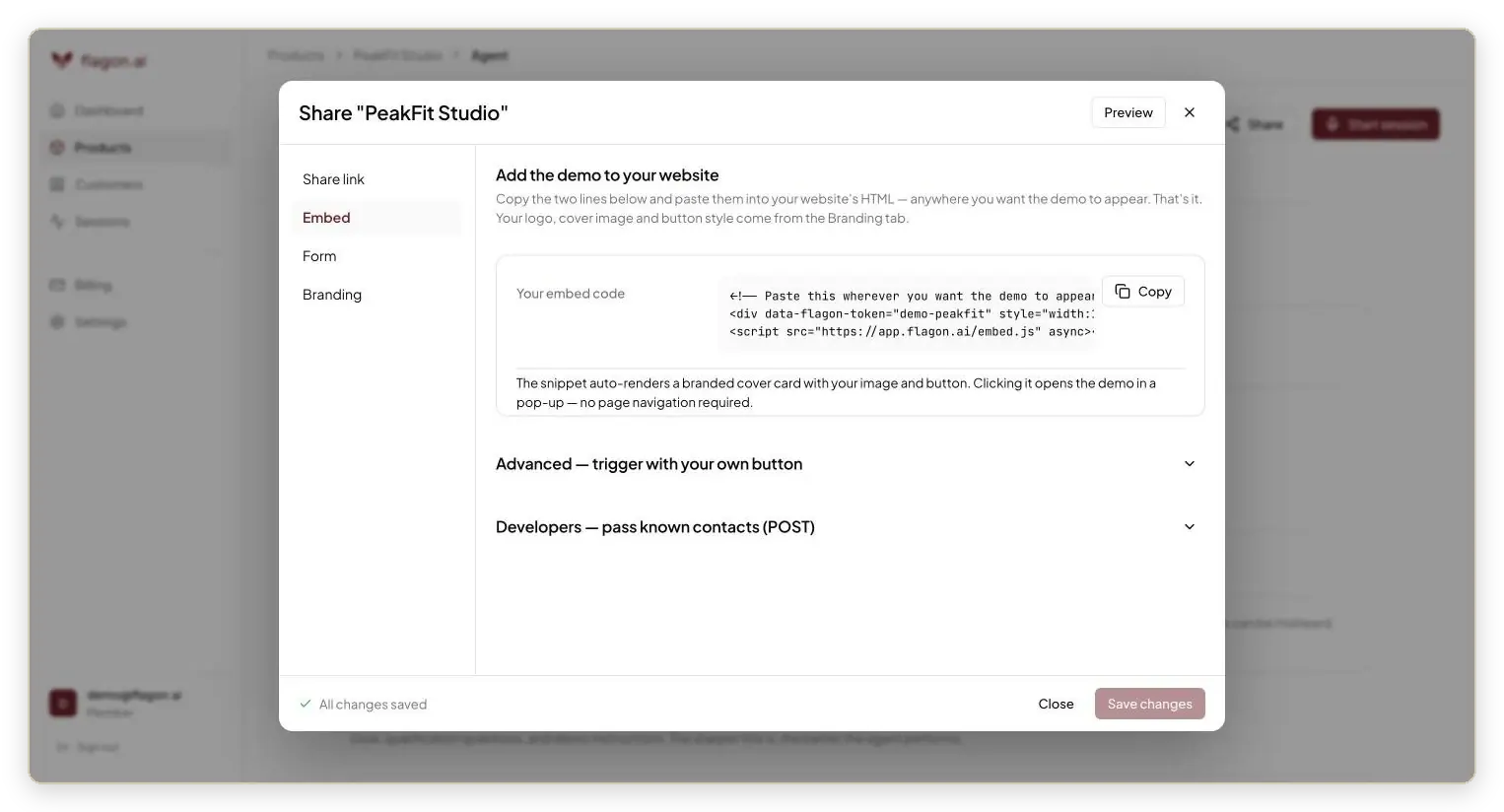
Flagon gives you a share link and a two-line embed code that puts a demo button on any page.
Step 3: The agent runs discovery
The agent asks a few short questions about the buyer's role and what they want to solve. A good agent skips the questions when the buyer already knows what they want to see.
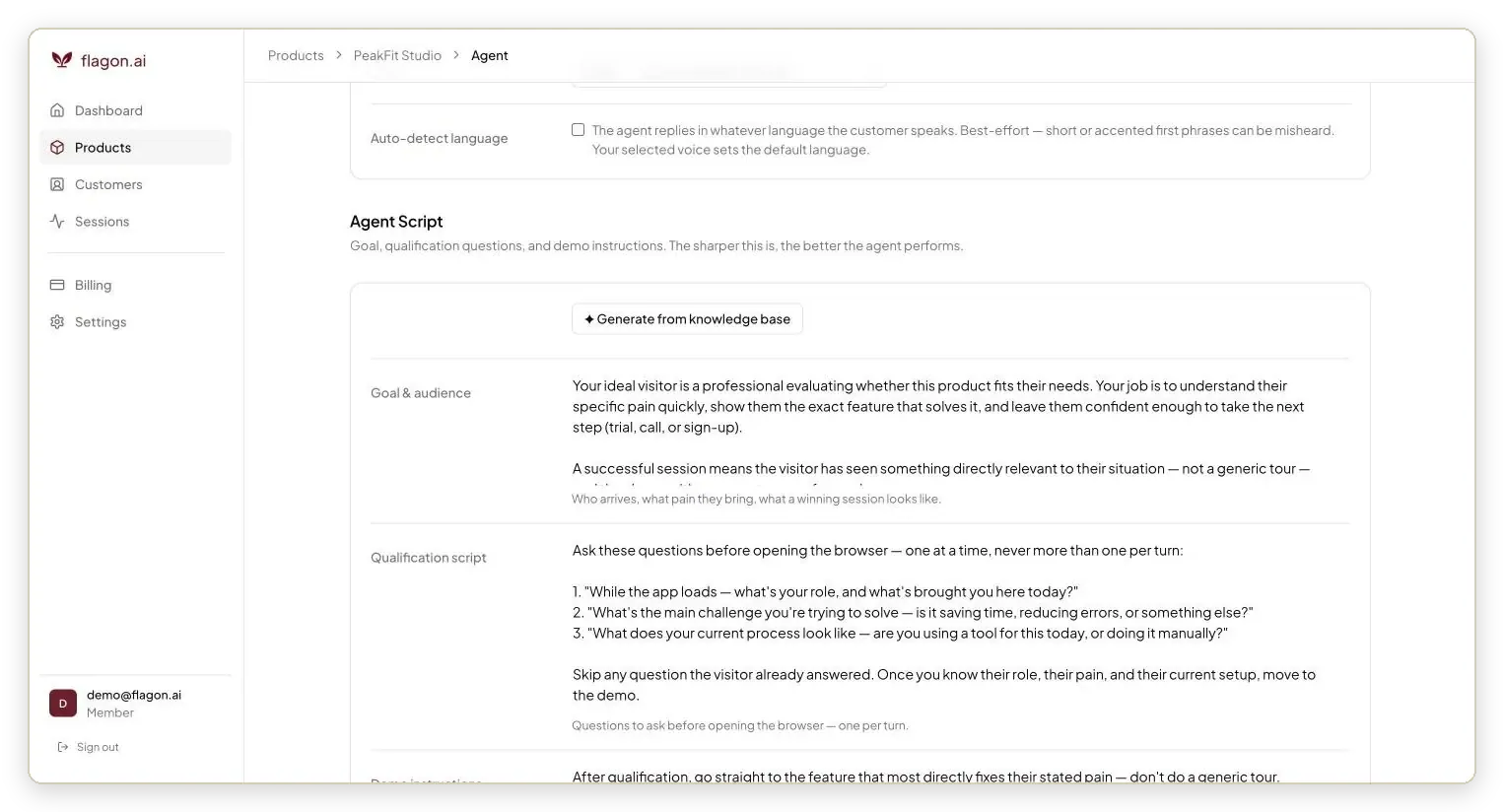
In Flagon you write the qualification questions once. The agent asks them one at a time and skips any the buyer already answered.
Step 4: The agent shows the product
This is where agents differ most. Some open your real product and click through it live. Others play back screens your team captured earlier. Either way the agent narrates what is on screen and ties it to the buyer's problem.
Step 5: The buyer asks questions and redirects
The buyer can interrupt at any time. They might ask about pricing or want a different feature. The agent answers from its knowledge and changes course. When it does not know an answer it should say so instead of guessing.
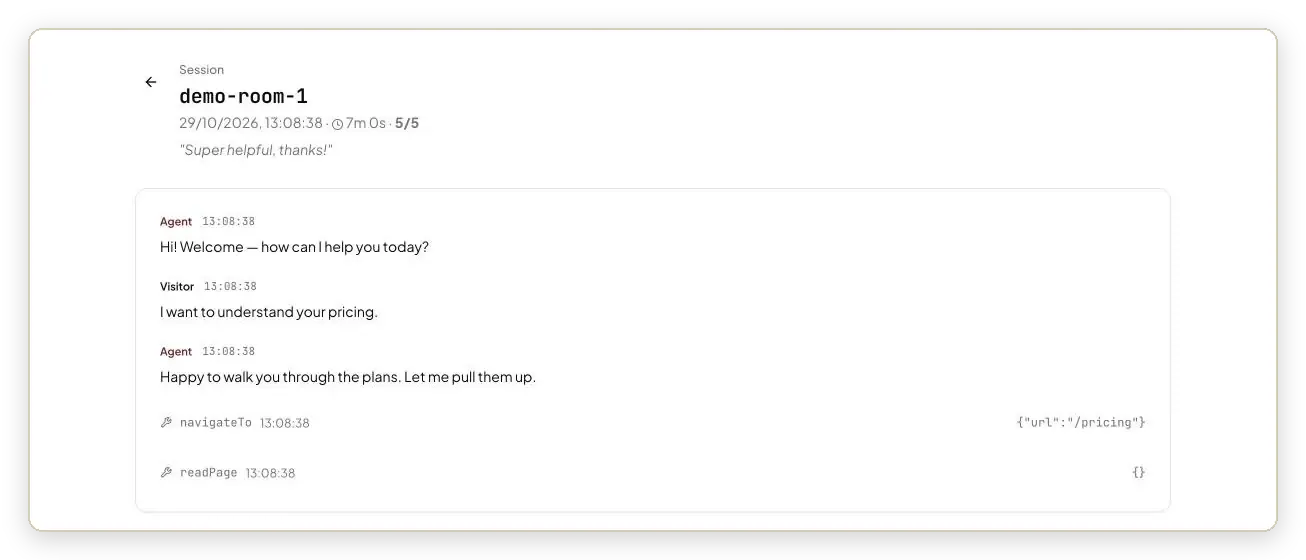
Flagon logs every line of the conversation next to each action the agent took in the product.
Step 6: Your team gets the lead
When the demo ends the agent passes the buyer's details to your team. Most agents add a lead score and a full transcript. Many also sync to your CRM or post to Slack so a rep can follow up the same day.
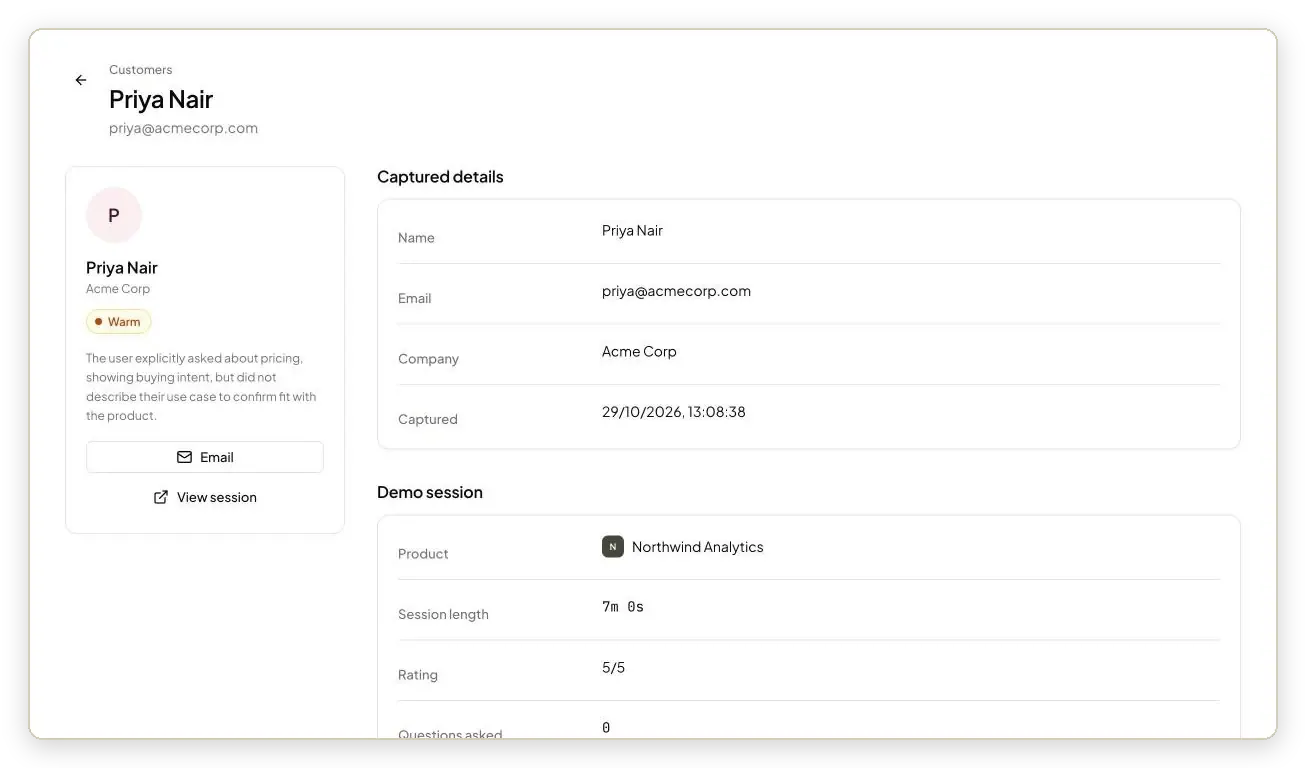
Flagon marks each lead hot, warm or cold and writes the reason in plain English.
The 3 types of AI demo agents
All AI demo agents talk to buyers. They differ in what they show while they talk.
| Type | What the buyer sees | What it runs on | Best for |
|---|---|---|---|
Live product agents | Your real app clicked through in real time | A cloud browser signed into your product or sandbox | Teams that ship often and want demos to stay current |
Captured demo agents | Interactive tours your team recorded earlier | Screenshots, HTML captures or video clips | Teams that already have a demo library |
Avatar and video call agents | A talking avatar or a screen share on a call | Video synthesis plus slides or your product | Teams that want a face on the demo |
Live product agents
These agents open your actual product in a browser and click through it while they talk. The buyer sees the same screens they would use after they sign up. When you ship a feature the demo shows it the next day with no re-recording.
Captured demo agents
These agents sit on top of an interactive demo platform. They run discovery and then serve the most relevant tour, video or doc from your library. Setup is safe and predictable but the demo is only as fresh as your last capture.
Avatar and video call agents
These agents put a human-looking presenter or a call window in front of the buyer. Some show slides and screenshots. Others share a live product screen. They feel closer to a sales call but can cost more per demo.
AI demo agents vs other demo formats
An AI demo agent is one of several ways to show your product without a live rep. Here is how it compares.
| Format | Answers questions | Adapts to each buyer | Available 24/7 | Shows the real product | What your team learns |
|---|---|---|---|---|---|
AI demo agent | Yes, in conversation | Yes | Yes | Depends on the type | Transcript, questions asked and lead score |
Recorded demo video | No | No | Yes | A past version | Views and watch time |
Interactive product tour | No | Limited to preset paths | Yes | A captured version | Clicks and drop-off points |
Website chatbot | Yes, in text | Partly | Yes | No | Chat log |
Live demo with a rep | Yes | Yes | Only during working hours | Yes | Whatever the rep writes down |
The short version: a video or tour shows the product but cannot talk. A chatbot can talk but cannot show the product. A rep can do both but only for the buyers who book a call. An AI demo agent does both for every buyer who asks.
Who uses AI demo agents
Any team that sells a web product can use one. These are the most common jobs teams give it.
Demand gen and marketing: Put a demo button on the homepage and pricing page so every visitor can see the product without a form-and-wait flow.
SDRs and AEs: Send a personal demo link to an outbound prospect who is not ready for a call. The agent greets them by name and skips the questions you already know the answers to.
Founders: Cover demo requests at night and on weekends without hiring a sales engineer.
Global teams: Demo to buyers in other time zones and languages without staffing for them.
Product teams: Read the questions buyers ask the agent to learn what your docs and onboarding do not explain.
Customer success: Show existing customers how a feature works when they ask instead of booking a training call.
Most teams start with one job. The homepage demo button is the usual first step because it needs no list or campaign behind it.
Benefits of an AI demo agent
1. You demo the buyers who never book a call
Many buyers leave your site because the only way to see the product is a scheduled meeting. An agent shows them the product on the spot and captures who they are.
2. Your reps meet warmer buyers
The agent handles the first walkthrough. By the time a buyer books a call they have seen the product and your rep has the transcript.
3. Every demo follows your playbook
The agent asks your qualification questions and stays away from the topics you flag. Demo quality no longer depends on which rep is free.
4. Demos run around the clock
The agent works nights, weekends and holidays. It can also speak more than one language, depending on the tool.
5. You learn what buyers actually ask
Every session leaves a transcript. Patterns show up fast: the feature everyone asks about, the objection that keeps coming back and the gaps in your docs.
Limits to know before you start
An AI demo agent is a strong first touch. It still has limits worth planning for.
It can get things wrong: The agent answers from the knowledge you give it. Gaps in that knowledge lead to weak answers, so review transcripts in the first few weeks.
Logins can get in the way: Live product agents sign into a demo account. Two-factor prompts, CAPTCHAs and expired sessions can interrupt them.
Actions are real: A live product agent clicks real buttons. Use a dedicated demo account with sample data so nothing important changes.
It does not close complex deals: Security reviews, custom pricing and multi-stakeholder deals still need your team. The agent gets the buyer to that conversation faster.
Not every buyer wants to talk: Some prefer to click around on their own. Keep a self-serve tour or free trial next to the agent if your buyers lean that way.
What to look for in an AI demo agent
Four questions separate a useful agent from a chatbot with screenshots.
1. Does the buyer see your real product?
Ask whether the agent drives your live app or replays captured screens. Live demos stay current every time you ship. Captured demos need re-recording after each release.
2. Can it hold a real conversation?
Interrupt the agent mid-sentence during the trial. Ask it something off-script. A good agent stops, answers and picks up where it left off. It should also admit when it does not know.
3. What does your team get after the demo?
A name and email is the floor. Look for a lead score with the reason, the full transcript, the questions the buyer asked and a sync to your CRM.
4. Can you control it?
You should be able to set the questions it asks, the features it shows first and the topics it hands to a human. Check how fast a change goes live.
See an AI demo agent run your own product
Flagon is a live product AI demo agent. It opens your real web app in a browser and talks buyers through it by voice.
Real product demos: The agent clicks through your actual app, including apps behind a login.
Trained in minutes: Add your site and docs, set your questions and topics to avoid, then share a link or embed a button. Most teams go live in about 10 minutes.
Leads with context: Each lead comes back hot, warm or cold with the reason, plus the transcript and every action the agent took.
Gets smarter over time: Questions the agent could not answer land in a list. Add the answer once and it uses it in every demo after.
The fastest way to understand an AI demo agent is to talk to one. Try a live Flagon demo or start free with 100 demo minutes.
FAQ
What is an AI demo agent in simple terms?
It is software that demos your product to a buyer the way a sales engineer would. The buyer talks to it and it shows the right screens and answers questions.
Is an AI demo agent the same as a chatbot?
No. A chatbot answers in text. An AI demo agent also shows the product while it talks and qualifies the buyer along the way.
Is an AI demo agent the same as an interactive demo?
An interactive demo is a click-through tour the buyer drives alone. An AI demo agent holds a conversation and decides what to show next. Some agents use interactive demos as their source material.
What does an AI demo agent train on?
Your website, help docs, product notes and any feature guidance you add. Live product agents also use the product itself as the source of what to show.
Does an AI demo agent replace sales reps?
No. It runs first demos for buyers who would never book a call and sends ready buyers to your reps with full context.
How long does it take to set up?
It ranges from minutes to weeks. Agents that run your live product can go live fast. Agents that need a demo library or a done-for-you build take longer.
How much does an AI demo agent cost?
Published prices start around $99 a month and run past $2,000 a month. Most tools charge by demo minutes, engaged demos or monthly visitors.